 Reachable
Scan the page. Hand your client the report.
Reachable is a free Chrome extension that checks the page you have open for WCAG issues, locally, without uploading anything. Pro turns the findings into a PDF with your branding, EAA context for the Netherlands and Germany, and a draft accessibility statement. €39, once.
Free scan, no account. Pro is a one-time purchase via Polar. Automated checks find only a part of all issues; see What Reachable is not below.
What Reachable does
Finds the issues on the page you have open
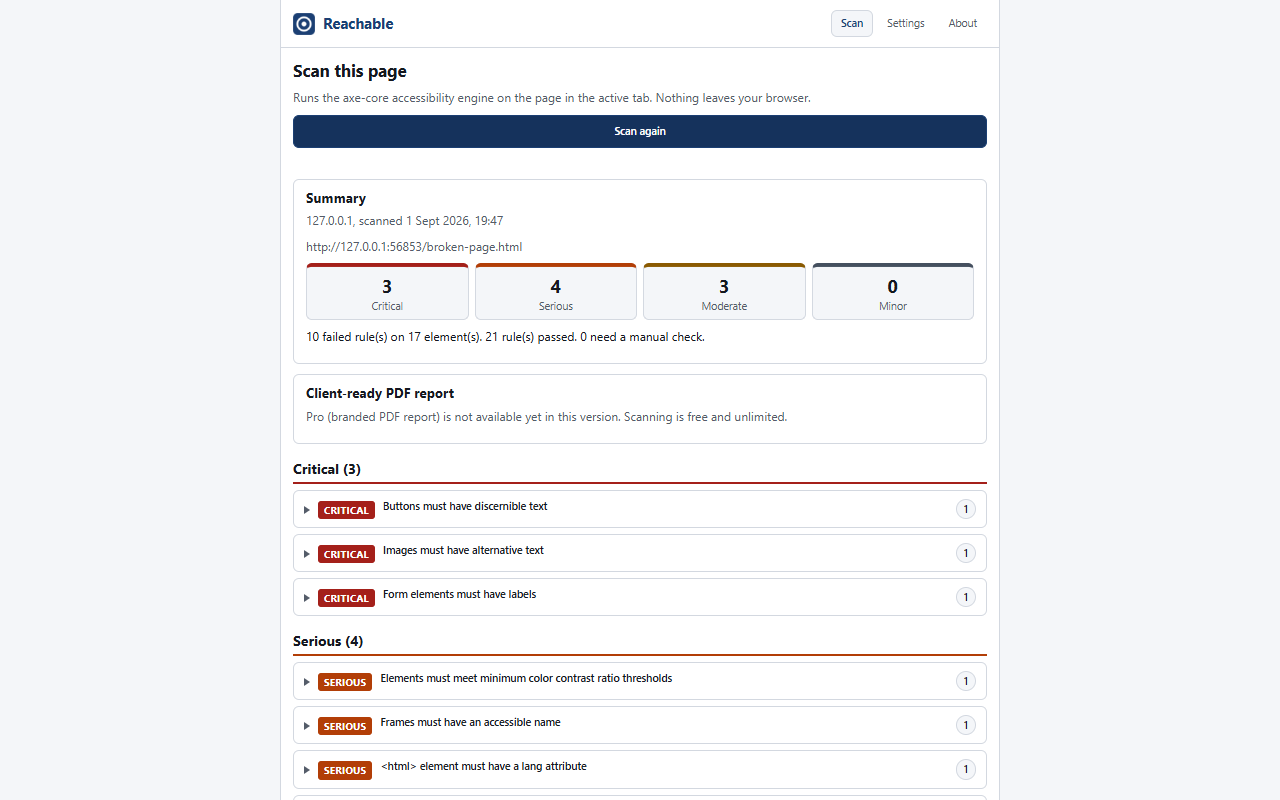
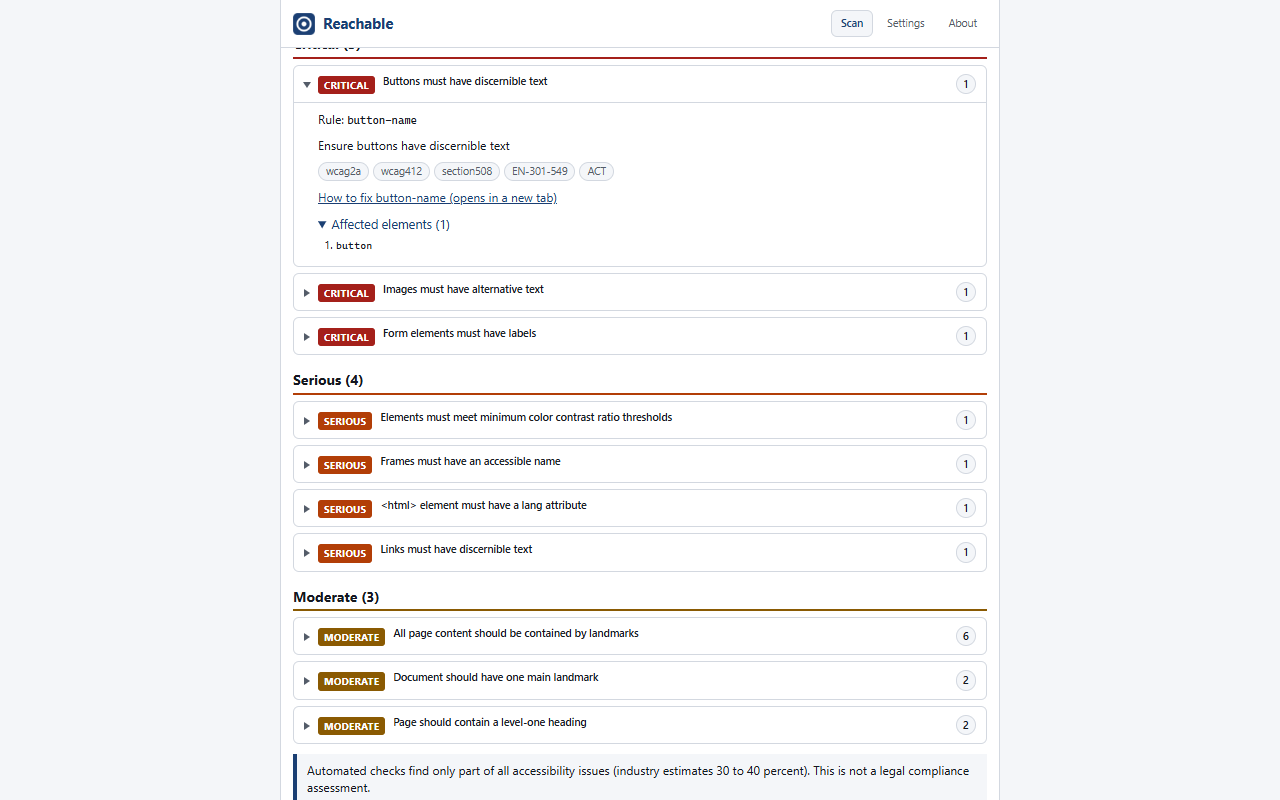
Click the icon and Reachable runs the open-source axe-core engine on the current tab. You get a list of WCAG issues ordered by impact, each with the affected element and the success criterion it relates to. Unlimited scans, no sign-up.
Works where online scanners cannot go
The scan runs in your browser, so it works on staging sites behind a login, on localhost and on client sites you do not administer. Page content, URLs and results stay on your machine. Nothing is uploaded.
Turns findings into a report your client can read (Pro)
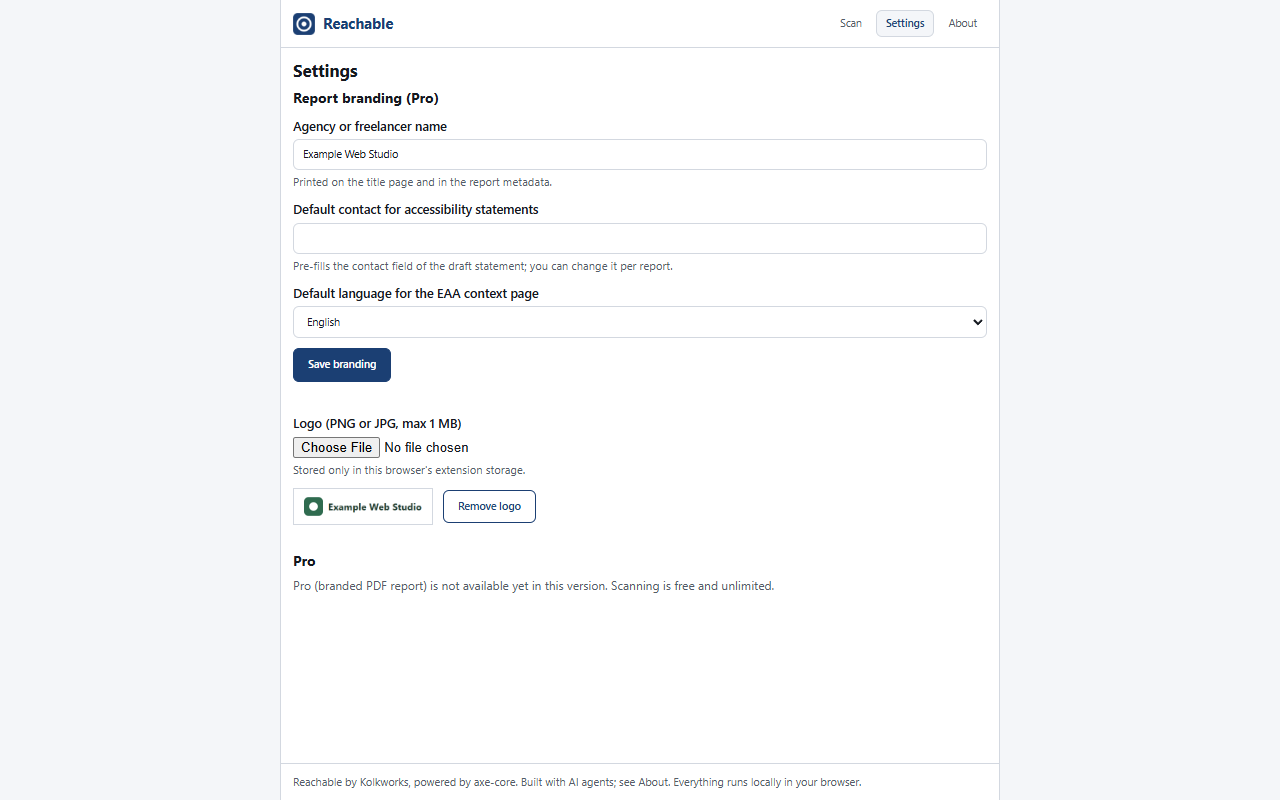
One click creates a PDF with your logo and agency name: the findings in priority order, a fix list, a list of checks that need a human, and EAA context in Dutch, German or English. It also includes a draft accessibility statement for your client to complete and publish.
For freelance web developers and small agencies in the EU
Your clients ask whether their site is “OK for the EAA”. Running a scan takes minutes; writing something you can send them takes hours. Reachable gives you a repeatable first step: a scan you can run on any page, and a report that documents what you found, what you fixed and what still needs a manual check. It is a tool for your process, not a replacement for expertise.
What Reachable is not
Automated checks find only a part of all accessibility issues (industry estimates say 30 to 40 percent). This is not a legal assessment.
- Not a compliance certificate. A page with zero findings can still have barriers, for example in keyboard order, focus handling or the meaning of alt text.
- Not legal advice. Whether and how the EAA applies to a specific client depends on the country, the sector and the size of the company. The report gives context and links to official sources; it does not give a legal opinion.
- Not an overlay or widget. Reachable changes nothing on your client’s site and fixes nothing automatically. It reports.
- Not a full-site crawler. It scans the page you have open. For a whole site, scan the pages that matter and combine the reports.
This disclaimer is printed on the first page of every report.
Pricing
Free
€0
- Scan the page you have open, unlimited
- Findings ordered by impact, with WCAG reference
- Runs locally, nothing uploaded
- No account
Pro Coming soon
€39 one-time
- Everything in Free
- PDF report with your logo and agency name
- EAA context in Dutch, German or English, with country notes for the Netherlands and Germany
- Prioritised fix list and a list of manual checks
- Draft accessibility statement
- Unlimited reports and client sites
- License key by e-mail after checkout via Polar
- 14-day refund, see FAQ
Offered by Kolkworks, sold through Polar (merchant of record).
What it looks like
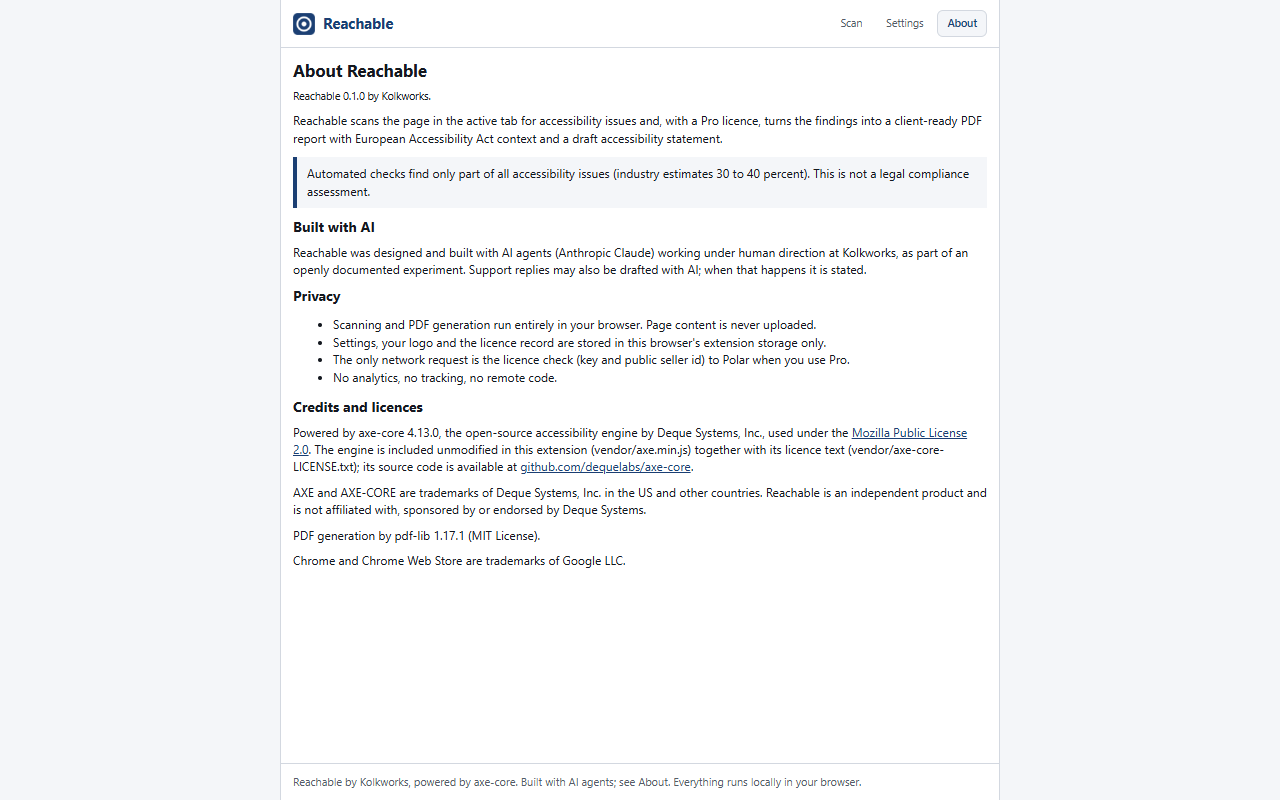
Screenshots of the extension’s side panel, taken on a test page with ten known accessibility errors. “Example Web Studio” is a fictional agency used for the branding demo, not a customer.
Frequently asked questions
Is this a compliance certificate?
No. Reachable reports the issues its automated checks can detect. Automated checks find only a part of all accessibility issues (industry estimates say 30 to 40 percent). This is not a legal assessment, and there is no badge, score or stamp that says a site “complies”. What you get is a documented list of findings, a priority order and a list of checks a person still needs to do.
Where does my data go?
Nowhere. The scan runs inside your browser on the page in your tab. Page content, URLs and results are not sent to Kolkworks or to anyone else. Your branding and your license key are stored in your browser’s extension storage. The one exception: when you activate Pro, and at most once every 7 days after that, the extension verifies your license key with Polar. That request contains the key and Reachable’s public seller identifier, not page data. See the privacy policy.
Does it work on staging environments behind a login?
Yes. Reachable scans the page as it is rendered in your tab, so if you are logged in, it sees what you see. That includes staging environments, password-protected client sites, localhost and pages behind a VPN. Online scanners cannot reach those.
What is the EAA, in two sentences?
The European Accessibility Act is an EU directive that requires certain products and services, including online shops and other e-commerce services, to be accessible to people with disabilities; it has applied since 28 June 2025. Each member state enforces it through its own law and regulator, for example the ACM in the Netherlands and the BFSG with the MLBF in Germany.
Does the EAA apply to my client?
That depends on the country, the sector and the size of the company, and only a regulator or a lawyer can tell you for sure. As a rule of thumb from the Dutch regulator ACM: e-commerce services of companies with 10 or more employees or an annual turnover above €2 million must be accessible; micro-enterprises that only provide services are exempt. The Pro report includes this context per country with links to the official sources, so your client can check their own situation.
How do I get a refund?
E-mail us at [support e-mail address, from shared/legal/] within 14 days of purchase, from the e-mail address you used at checkout. Polar, our merchant of record, refunds the full amount to your original payment method and your license key is deactivated. See the refund policy.
Who is Kolkworks?
Kolkworks is the Dutch trade name behind Reachable. Purchases are handled by Polar as merchant of record, which means Polar is the seller on your invoice and processes payment and refunds. Kolkworks builds the product and answers your support questions.
Is this made with AI?
Yes. Reachable, this website and our support replies were made with AI agents under human editorial review by Kolkworks. The scan itself is not AI: it is the rule-based open-source engine axe-core, which gives the same result every time for the same page. We say this because you should know, and because EU rules on AI transparency ask for it.